Web Tools
Browser apps for the DL2CC ecosystem — open them in any modern browser, on a tablet, phone or computer, with nothing to install. This page collects the web-based Morse trainers; your training progress shares the same format as the Windows trainers, so you can carry it back and forth.
Web Morse Trainer
The browser version of the Koch Morse Trainer. Open it at dl2cc.de/morsetrainer. It covers the same 40 Koch lessons, per-character progress, the Morse alphabet and the Balloon Burst game as the Windows trainer.
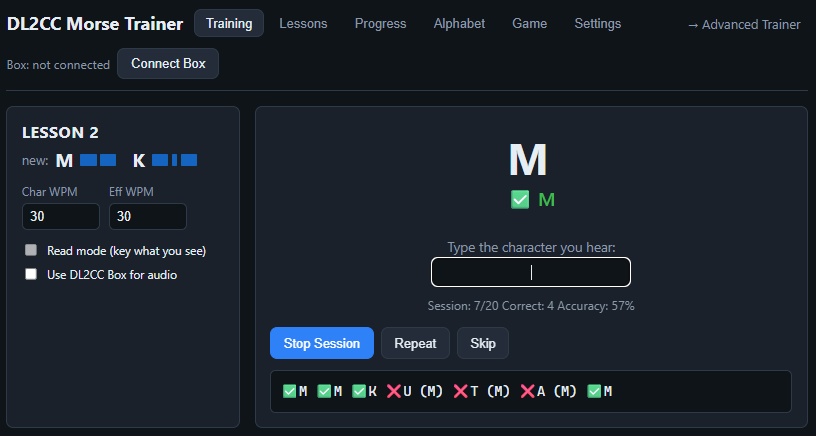
Training — listen and type the character you hear. Set Char and Effective (Farnsworth) WPM, switch on Read mode to key it back, and watch the live session accuracy.
The tabs across the top take you through everything the trainer does:
| Tab | What it does |
|---|---|
| Training | The active drill for your current lesson — hear a character and type (or key) it back. |
| Lessons | The 40-lesson Koch list: unlock or lock a lesson, practise a single one, and see per-character accuracy, times seen and streak. |
| Progress | Overall accuracy, average response time, per-character bars, your top confusions and recent sessions. |
| Alphabet | A reference grid of every character and its Morse pattern. |
| Game | Balloon Burst — type each character before its balloon reaches the top, using the characters you have unlocked. |
| Settings | WPM, tone, items per session, minimum accuracy to advance, lesson order, feedback delay, and profile import/export. |
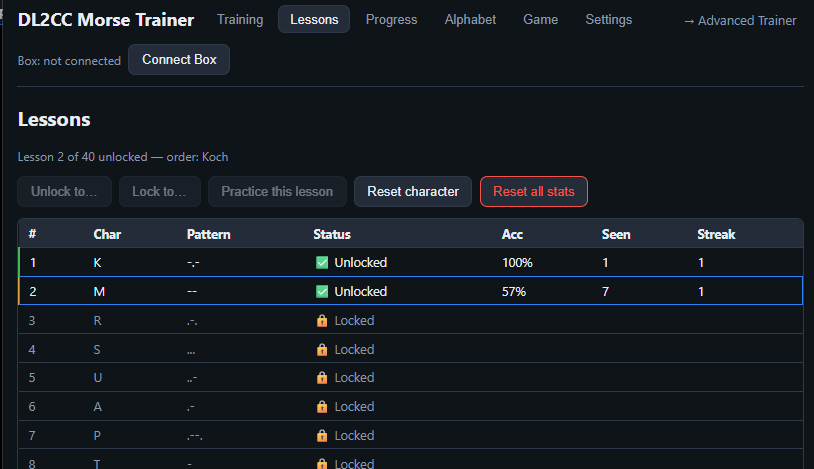
Lessons — the Koch order, lesson by lesson. Unlock, lock, or practise a single lesson, and reset a character or all stats.
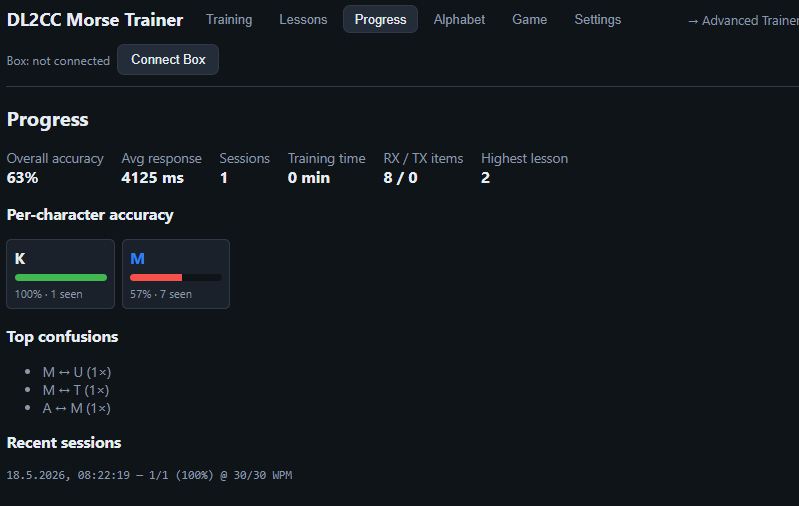
Progress — overall accuracy and response time, per-character accuracy bars, your most common confusions, and recent sessions.
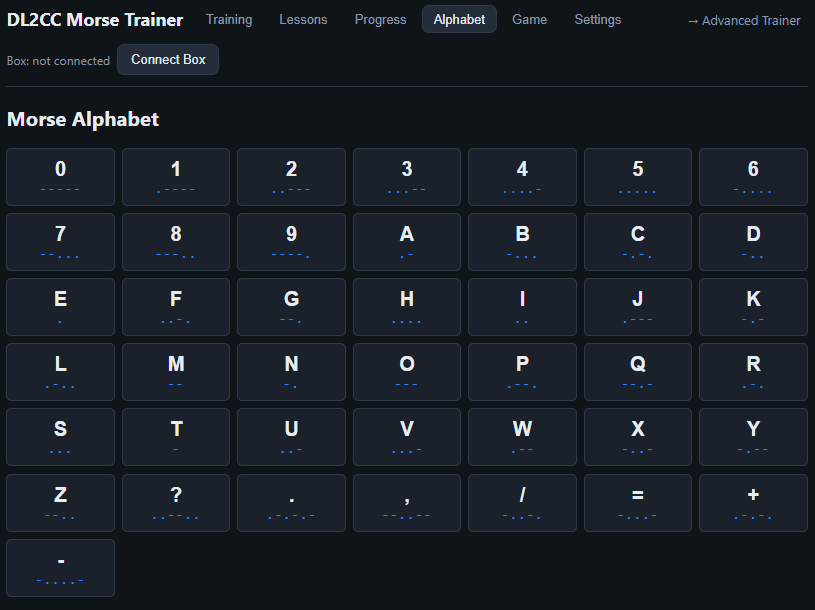
Alphabet — the full Morse reference, letters, numbers and punctuation, with each pattern shown as dots and dashes.
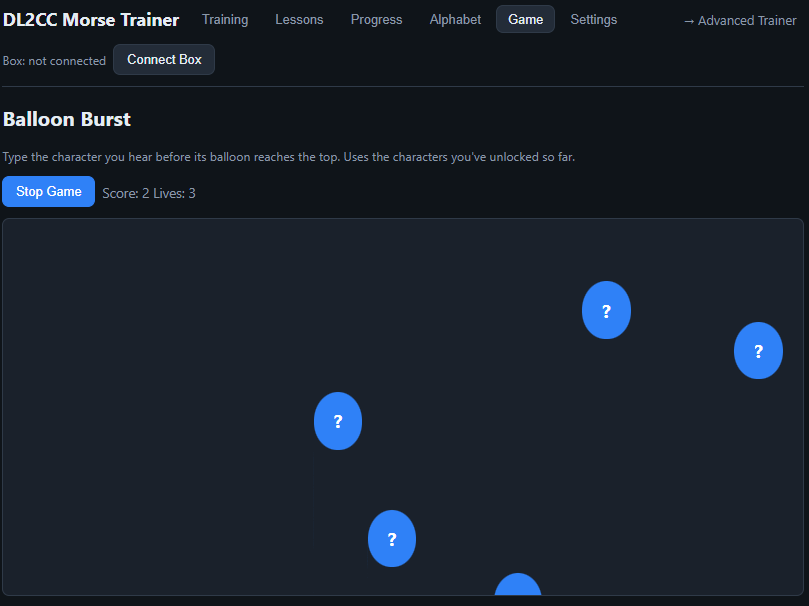
Balloon Burst — type the character you hear before its balloon floats off the top. It only uses the characters you have unlocked.
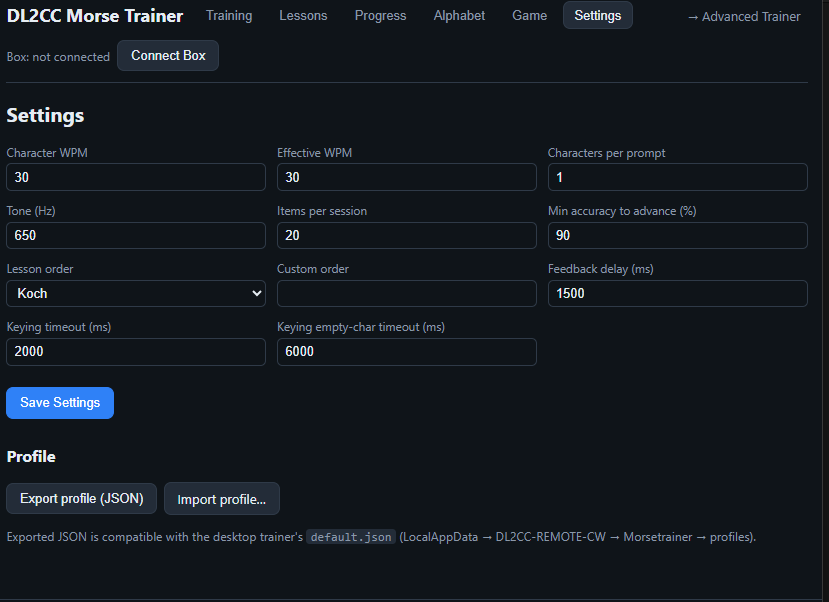
Settings — speed, tone, session length, lesson order and timing, plus Export / Import profile for moving your progress.
Moving Your Progress Between Web and Desktop
The web trainer keeps your progress in the browser, in the same JSON format the Windows trainer uses, so you can move a profile either way without converting anything. The desktop trainer stores its profile in the local data folder at:
%LOCALAPPDATA%\DL2CC-REMOTE-CW\Morsetrainer\profiles\default.json
From the web trainer to the desktop:
- In the web trainer open Settings and click
Export profile (JSON) — your browser downloads
default.json. - Close the desktop trainer.
- Copy the downloaded
default.jsoninto the folder above, replacing the existing file. - Start the desktop trainer — it loads your web progress.
From the desktop to the web trainer:
- Copy
default.jsonout of the folder above. - In the web trainer open Settings and click Import profile…, then pick that file.
- The page reloads with your desktop progress.
Web Advanced Trainer
The browser version of the Advanced
Trainer — for operators who already know the characters and want to
work on speed and accuracy across the full character set
(A–Z, 0–9 and / = ? .), with no Koch
progression. Open it at
dl2cc.de/morsetrainer-advanced.
It keeps a separate profile, so it never touches your
Koch progress.
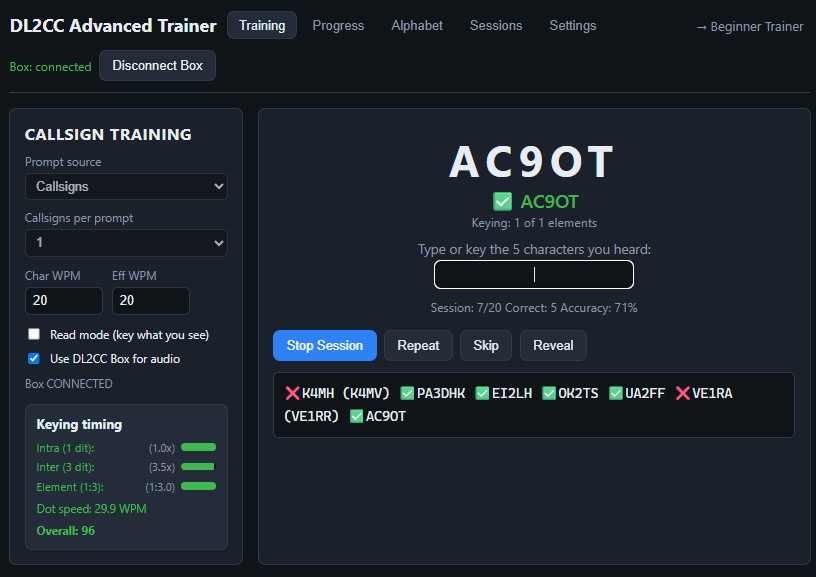
Web Advanced Trainer — here in Callsign mode with a connected DL2CC Box. Type or key the characters you hear; when the Box is connected, the keying-timing panel scores your dot/dash and spacing ratios and your dot-speed WPM.
Choose how prompts are generated with the Prompt source selector:
| Prompt source | What you hear |
|---|---|
| Word file | Words and short phrases from a built-in text file (English, German and ham-radio abbreviations), shuffled. |
| Random groups | Random character groups from the full set; you set the group length and how many groups per prompt. |
| Callsigns | Real callsigns drawn from the well-known MASTER.SCP list. |
Set Items per prompt (1–10) and, for groups, the characters per group. Listen mode plays the audio for you to copy; Read mode shows the text on screen and you send it back on a connected DL2CC Box. The Reveal button shows the answer, and Repeat replays it.
The top-right link switches between the two trainers — → Advanced Trainer from the beginner trainer, and → Beginner Trainer back again — so you can keep both open and jump across.
Browser Support
Training, lessons, progress and browser audio work in any modern browser — desktop or mobile. The optional DL2CC Box (for sidetone and paddle keying) uses the Web Serial API, which has narrower support.
| Feature | Where it works |
|---|---|
| Lessons, progress, browser audio, the games | Any modern browser — phone, tablet or computer |
| DL2CC Box (audio out + paddle keying) via Web Serial | Chrome, Edge or Opera on the desktop only — not Firefox or Safari, not phones |
https:// (the
dl2cc.de links already are) and is not available on phones
or tablets, or in Firefox/Safari. On those, use the trainer with
browser audio — everything except Box keying works.
Click Connect Box (top-right) once to pick the serial
port; after that it reconnects on its own.